Physiotherapy
Online booking for physiotherapy
Patients book themselves, at any hour, for the treatment and physiotherapist they choose. You have the whole team's schedule in one place, and reminders go out on their own.
Or try the admin, as an owner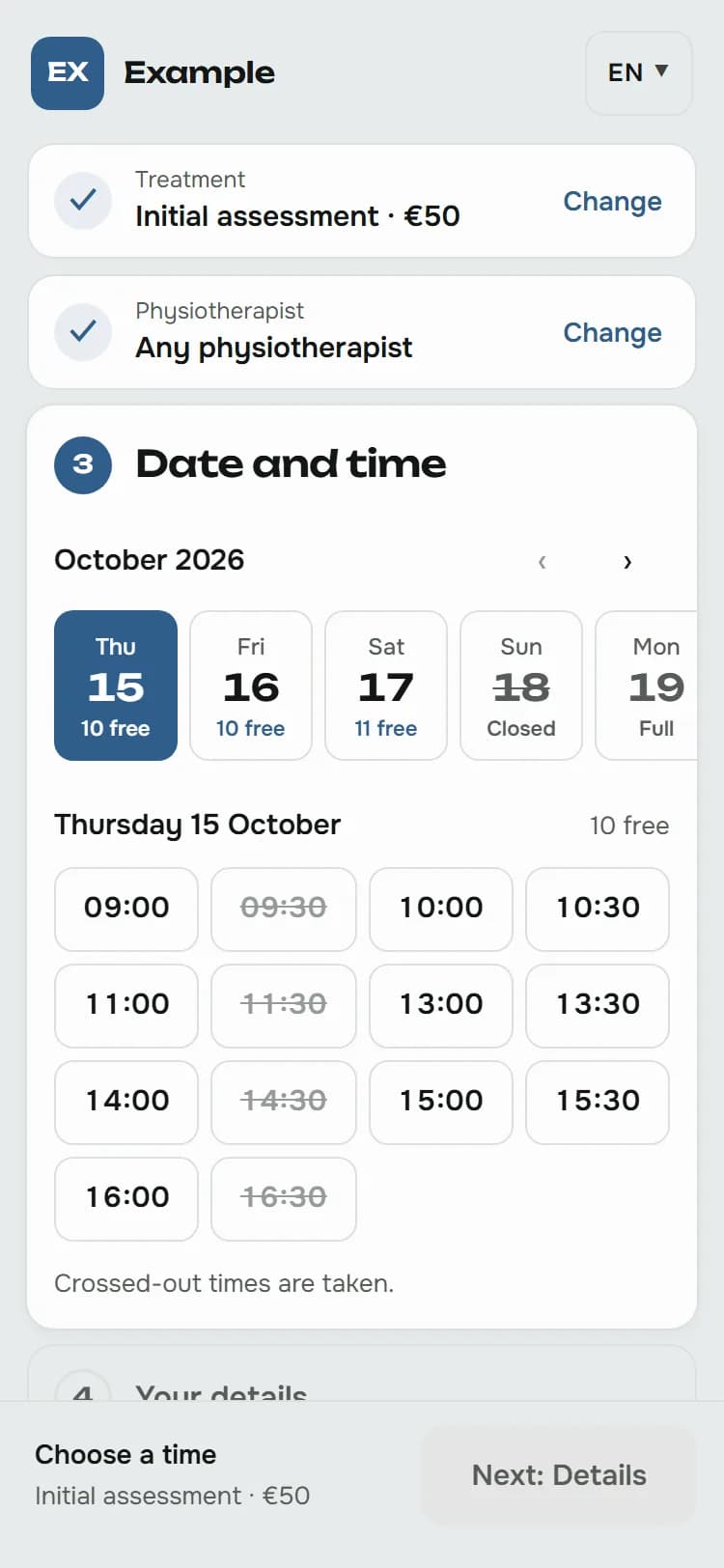
What you get
Appointments open up to a date you choose
Open appointments in advance, for example to the end of next month, for the whole team or for each physiotherapist separately. Patients who find no free time get an email when you open new ones.
The words of your profession
The booking page, the emails and the admin speak of patients, treatments and physiotherapists, not customers and services.
Deadlines that protect your schedule
Patients book online at least 2 hours before an appointment and cancel up to 24 hours before. You can change both in the settings.
Treatments you start with
When we set up your practice, you get these treatments from the template. Change names, durations and prices whenever you like, and add as many as you need.
- Initial assessment60 min
- Physical therapy45 min
- Kinesiotherapy45 min
- Follow-up visit30 min
Frequently asked questions
Who is the controller of the patients' data?
You are. Your patients' data belongs to your business, and ubooq processes it only on your behalf, under the data processing agreement. Patients see your privacy notice next to the booking form.
Can patients cancel an appointment themselves?
Yes, on the “My appointment” page, linked from every email, up to the deadline you set. The freed time is open to other patients straight away.
What if a physiotherapist is away?
With “Cancel a day” you cancel all of that day's appointments at once or move them to a colleague who is free. Patients get an email with your message and free times to book again.
Who else ubooq is for
- Barber shop
- Hair salon
- Beauty salon
- Massage
- and other service businesses
Want online booking for your business?
The first month is free: get in touch and we will set up your business, with the template and look for your line of work. Or try the demo first to see how booking looks.